In today’s digital world, where documents are shared across various platforms, the need to convert PDF files into different formats without compromising their quality is more important than ever. Whether you’re a professional working with multiple document types, a student organizing academic materials, or anyone in need of versatile document solutions, PDFBox.pro is your go-to tool. In this article, we’ll explore how this powerful online tool simplifies the process of converting PDFs to various formats while maintaining the highest quality.
Why Choose PDFBox.pro? PDFBox.pro stands out in the realm of online PDF tools for its user-friendly interface and high-quality output. Unlike many other PDF converters, PDFBox.pro ensures that the integrity of your original document is preserved, regardless of the format you’re converting to. This means no more worrying about misplaced text, distorted images, or layout changes.
Converting PDFs Made Simple: One of the key features of PDFBox.pro is its simplicity. The process of converting a PDF file into another format, such as Word, Excel, PowerPoint, or even image formats like JPG and PNG, is straightforward:
- Upload Your PDF: Start by uploading the PDF file you want to convert.
- Choose Your Format: Select the desired output format from the available options.
- Convert with a Click: Initiate the conversion process with a single click.
- Download Your File: Once the conversion is complete, download your new file in the chosen format.
Quality Assurance: At PDFBox.pro, we understand the importance of maintaining the quality of your documents. Our advanced conversion technology ensures that the formatting, images, and text in your original PDF are replicated accurately in the new format. This high fidelity conversion means you can confidently use your new documents just as you would the original PDFs.
Versatility and Accessibility: PDFBox.pro is not just about converting PDFs to other formats; it’s also incredibly versatile. Whether you need to merge PDFs, split them into separate pages, compress them for easier sharing, or even protect them with passwords, PDFBox.pro has you covered. Plus, being an online tool, it’s accessible from anywhere, on any device with an internet connection.
Conclusion: In summary, PDFBox.pro is an indispensable tool for anyone who regularly works with PDFs. Its ability to convert PDFs to various formats without losing quality, combined with its ease of use and versatility, makes it a top choice for professionals, students, and everyday users. Try PDFBox.pro today and experience the hassle-free way of handling PDF conversions!
In today’s digital age, managing PDF files efficiently is crucial. Large PDF files can be challenging to share, store, or send via email. Fortunately, PDF compression tools like PDFBox.pro offer a convenient solution to reduce PDF file size without compromising quality. In this blog post, we’ll explore the steps to compress PDF file size online and address common questions related to PDF compression.
How to Compress PDF File Size Online?
Compressing a PDF file online is quick and straightforward with PDFBox.pro. Follow these steps:
1. Visit the PDFBox.pro website at https://pdfbox.pro/compress-pdf.
2. Click on the “Compress PDF” option.
3. Upload the PDF file you want to compress.
4. Choose your compression settings (e.g., quality level or target file size).
5. Click the “Compress PDF” button.
6. Download the compressed PDF file when the process is complete.
Is it Possible to Compress PDF Without Losing Quality?
Yes, PDFBox.pro offers various compression settings that allow you to balance file size reduction and quality preservation. By selecting an appropriate compression level, you can minimize file size while maintaining good readability and image quality.
Can I Compress PDF File from MB to KB?
Absolutely! PDFBox.pro allows you to compress PDF files significantly, reducing them from megabytes to kilobytes, depending on your chosen compression settings.
Is it Possible to Compress Multiple PDF Files at Once?
Yes PDFBox.pro supports compressing multiple PDF files at the same time. To compress multiple files, you would need to select all needed files while uploading.
How Long Will it Take to Compress PDF File Size?
The time required to compress a PDF file depends on several factors, such as the file’s size, your internet connection speed, and the selected compression settings. Typically, PDFBox.pro processes files quickly, and you’ll receive the compressed PDF promptly.
Can I Compress a Password-Protected PDF File?
PDFBox.pro can compress password-protected PDF files as long as you provide the correct password to unlock the file before the compression process.
How Do I Know if My Compressed PDF is of Good Enough Quality for Printing or Professional Use?
To ensure the quality of your compressed PDF, review it after compression. If the content and images appear clear and readable, it should be suitable for printing or professional use. You can adjust the compression settings and test again if necessary.
How Long Will My Uploaded Files Be Stored on the Server?
PDFBox.pro prioritizes user privacy and file security. Uploaded files are typically stored for a limited time, and they are automatically deleted from the server after a specific period. This ensures your data remains secure and confidential.
Are My Files Safe with PDFBox.pro?
Yes, PDFBox.pro takes data security seriously. Your uploaded files are treated with the utmost confidentiality, and the platform uses secure encryption methods to protect your data during transmission and processing.
Conclusion:
Compressing PDF files online with PDFBox.pro is a convenient way to reduce file size while maintaining quality. By following the simple steps outlined in this guide, you can optimize your PDFs for sharing, storage, and distribution without sacrificing readability or image quality. Rest assured that your files are secure and that PDFBox.pro offers the flexibility to customize compression settings to meet your specific needs. Start compressing your PDF files today for a more efficient document management experience.
Introduction: In today’s fast-paced professional world, efficient management of PDFs is more than a convenience – it’s a necessity. From contracts to reports, PDFs are the backbone of digital documentation. At pdfbox.pro, we understand the challenges professionals face with PDF management, and we’re here to help. Here are our top 10 tips for managing PDFs efficiently and effectively.
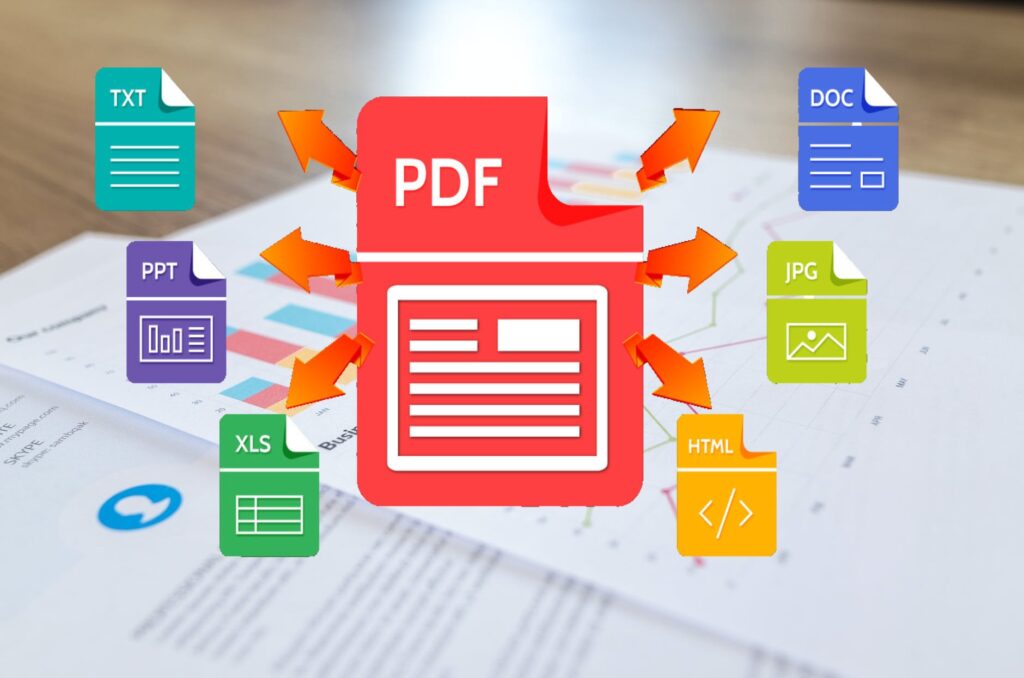
1. Convert Documents Wisely Convert documents to and from PDF format without losing formatting. Use tools like pdfbox.pro’s PDF to JPG or JPG to PDF converters for smooth transitions between formats, ensuring your documents are in the right format for every situation.
2. Keep Your PDFs Secure Confidentiality is key in the professional world. Encrypt your PDFs and add watermarks using pdfbox.pro’s encryption tools to keep sensitive information secure.
3. Optimize PDFs for Web Use Large PDF files can be cumbersome. Use a compression tool to reduce file sizes without losing quality, making them easier to share and quicker to upload.
4. Organize PDF Pages Reorganize and edit the structure of your PDF documents. Split, merge, or delete pages to tailor your PDFs to your specific needs using pdfbox.pro’s intuitive editing tools.
5. Edit PDFs Like a Pro Gone are the days when PDFs were unchangeable. Utilize advanced PDF editors to modify text, adjust formatting, or add images directly in your PDF files.
6. Utilize OCR for Scanned Documents Transform scanned documents into editable and searchable files with Optical Character Recognition (OCR) tools. This makes it easy to edit and organize scanned PDFs.
7. Implement Batch Processing Time is precious. Use batch processing tools to handle multiple PDF tasks simultaneously, such as batch conversion or compression.
8. Access Documents on the Go Embrace cloud storage and mobile access for your PDFs. This ensures that you can view and edit your documents anytime, anywhere, which is essential in today’s mobile-first world.
9. Stay Compliant with PDF/A For long-term digital preservation, convert important documents to PDF/A – an ISO-standardized version of PDF specialized for digital preservation.
10. Continuously Update Your PDF Tools The digital world is always evolving. Keep your PDF management tools updated to leverage the latest features and security updates.
Conclusion: Efficient PDF management is an essential skill in the digital age, and with the right tools and techniques, it can be a seamless part of your professional routine. Explore pdfbox.pro for a comprehensive suite of tools designed to make your PDF management hassle-free and efficient.
Keywords: PDF Management, Professional PDF Tools, Convert PDF, Secure PDF, Edit PDF, PDF OCR, Batch Processing PDF, PDF/A, Digital Documentation, PDFbox.pro